
Encrypted notes. Your AI.
Yours.
An offline-first notebook — typing, whiteboards, drawing, and handwriting in a single note.
Free download · No sign-up · Windows / macOS / Linux / Android / iOS
Your thoughts, truly private
AES-256-GCM encryption protects every note. Vault password plus optional Note Password for extra-sensitive notes. No account, no server, no cloud. Works fully offline.
Multi-modal — every mode, one note
Drawing with native Apple Pencil. Whiteboard for mind maps and flowcharts. Mermaid, tables, LaTeX, and decorations — all native, all in one note.
Your AI, your keys
Bring your own AI — local for privacy, cloud for power. AI generates whiteboards, drafts text, runs semantic search, and acts in your vault through tool calling.
No vendor. No lock-in.
Notes on your own disk, not a vendor's database — Markdown in and out anytime. Sync through your own WebDAV server, or through a computer you already own. Open local Agent API and MCP for your AI client. One app, every major OS.
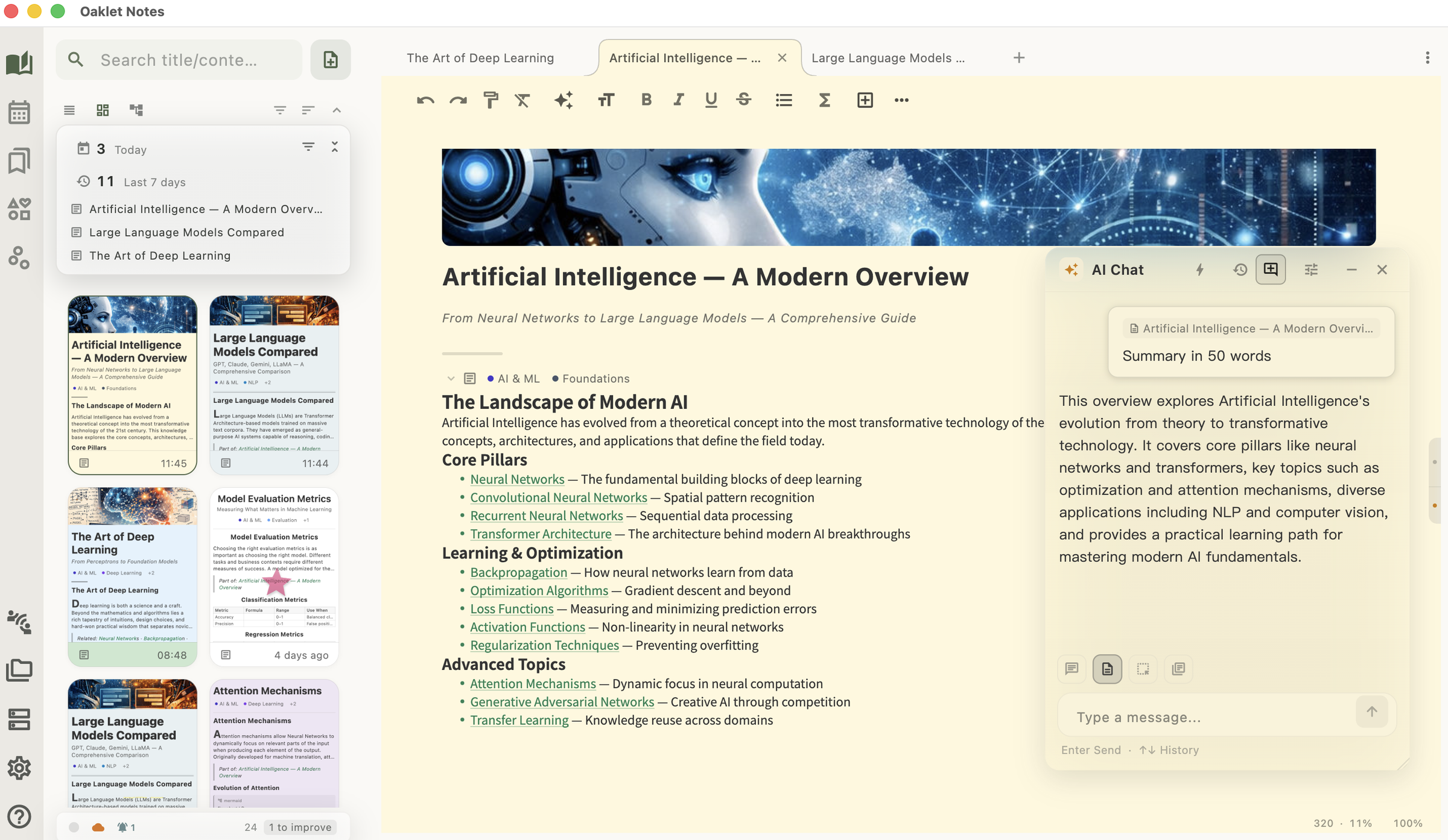
Beautiful Writing Experience
Multiple header styles (Default / Minimal / Classic / Magazine / Newspaper / Academic) with page presets — Eye Care, Logic Grid, Night Focus — drop cap, and cover images. Every note has its own character.
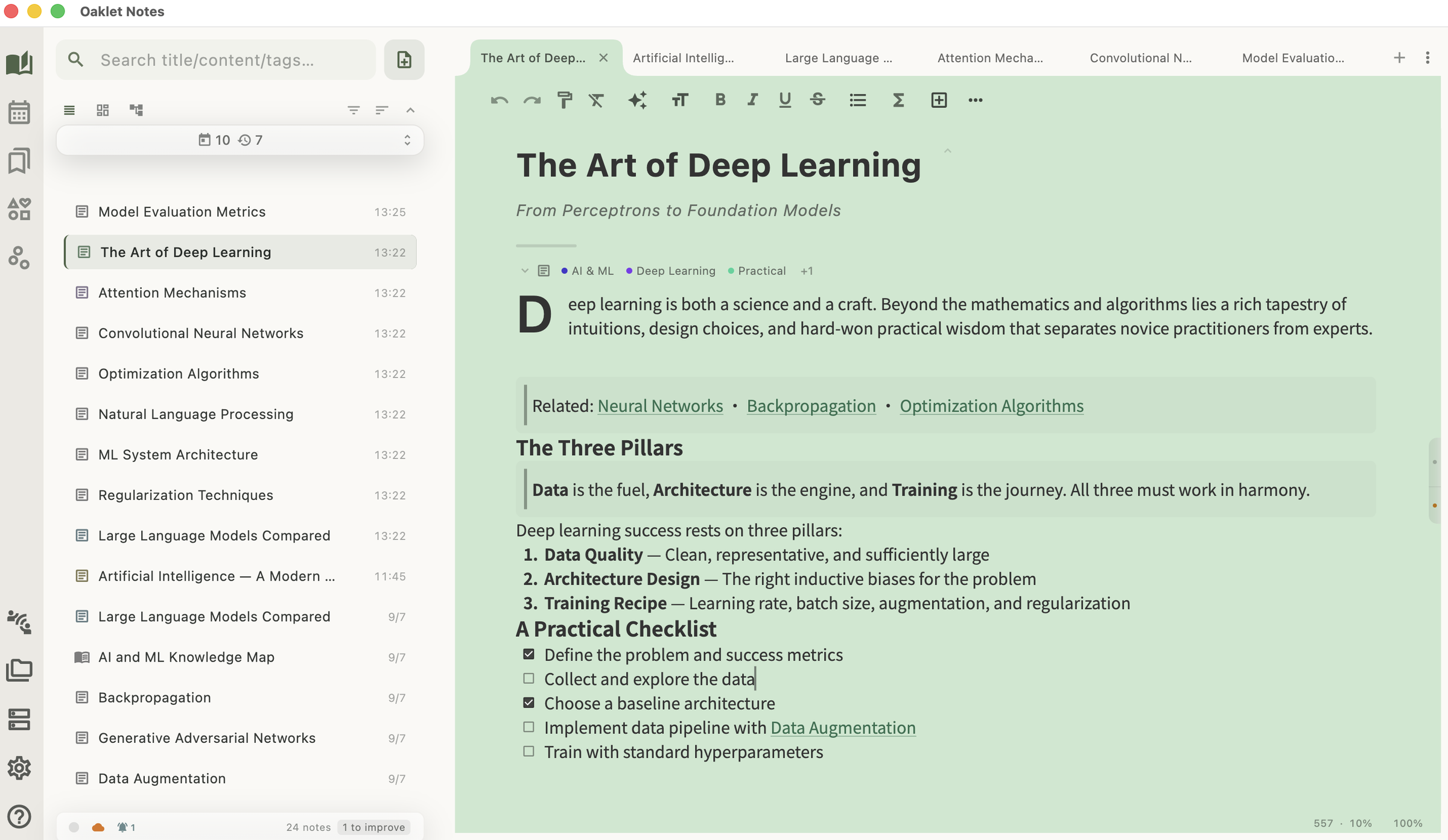
Whiteboard for Visual Thinking
Mind maps, flowcharts, and diagrams on a zoomable, pannable surface — open right inside any note. Auto layouts (Tree, Layered, Force) clean up a messy board in one click.
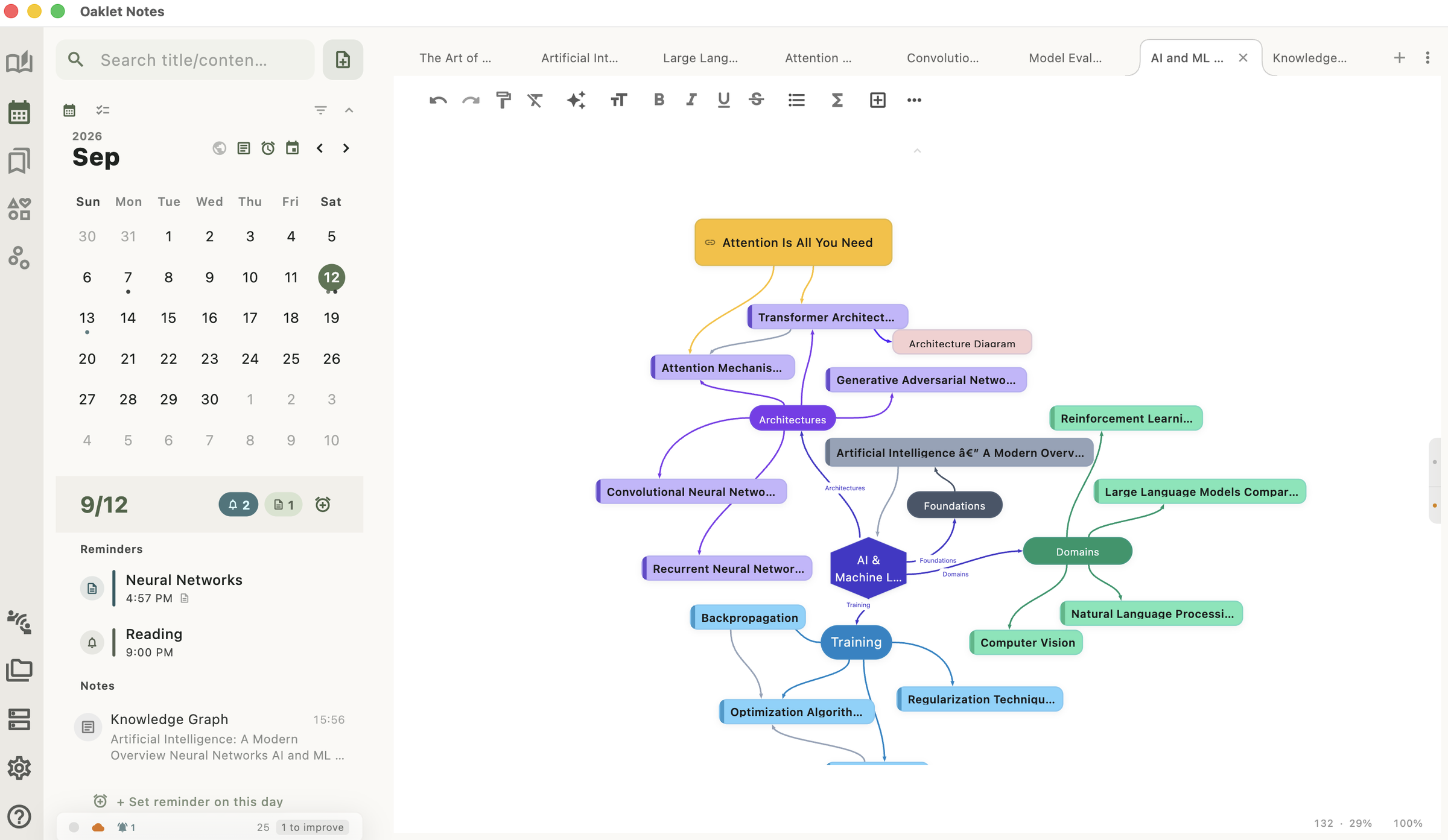
Sketch with Native Apple Pencil
Pressure-sensitive, low-latency strokes on iPad. Pencil, marker, and highlighter brushes. Multi-layer composition, fill tool, text boxes, and SVG export — Drawing is a full sketchbook inside your notes.
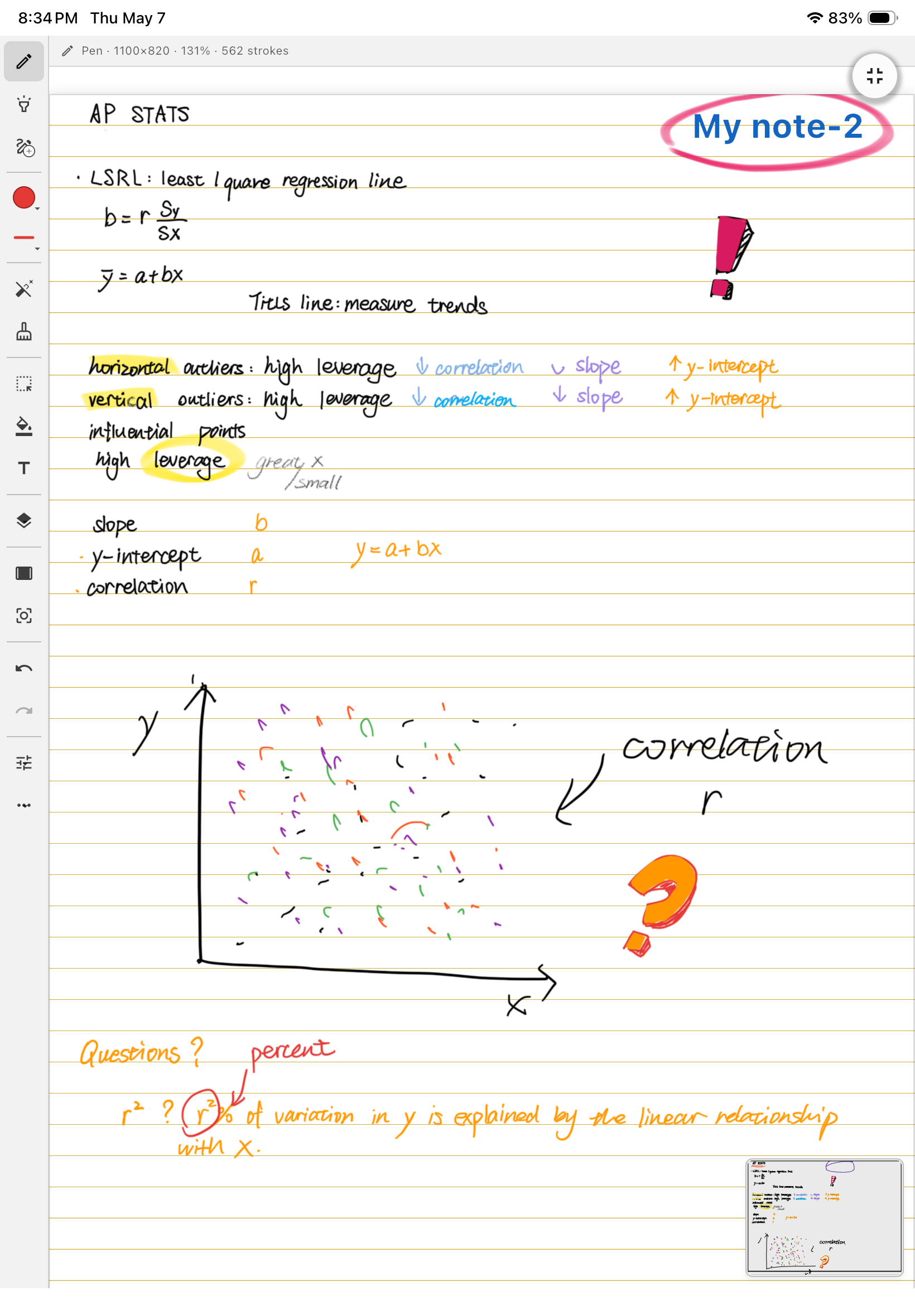
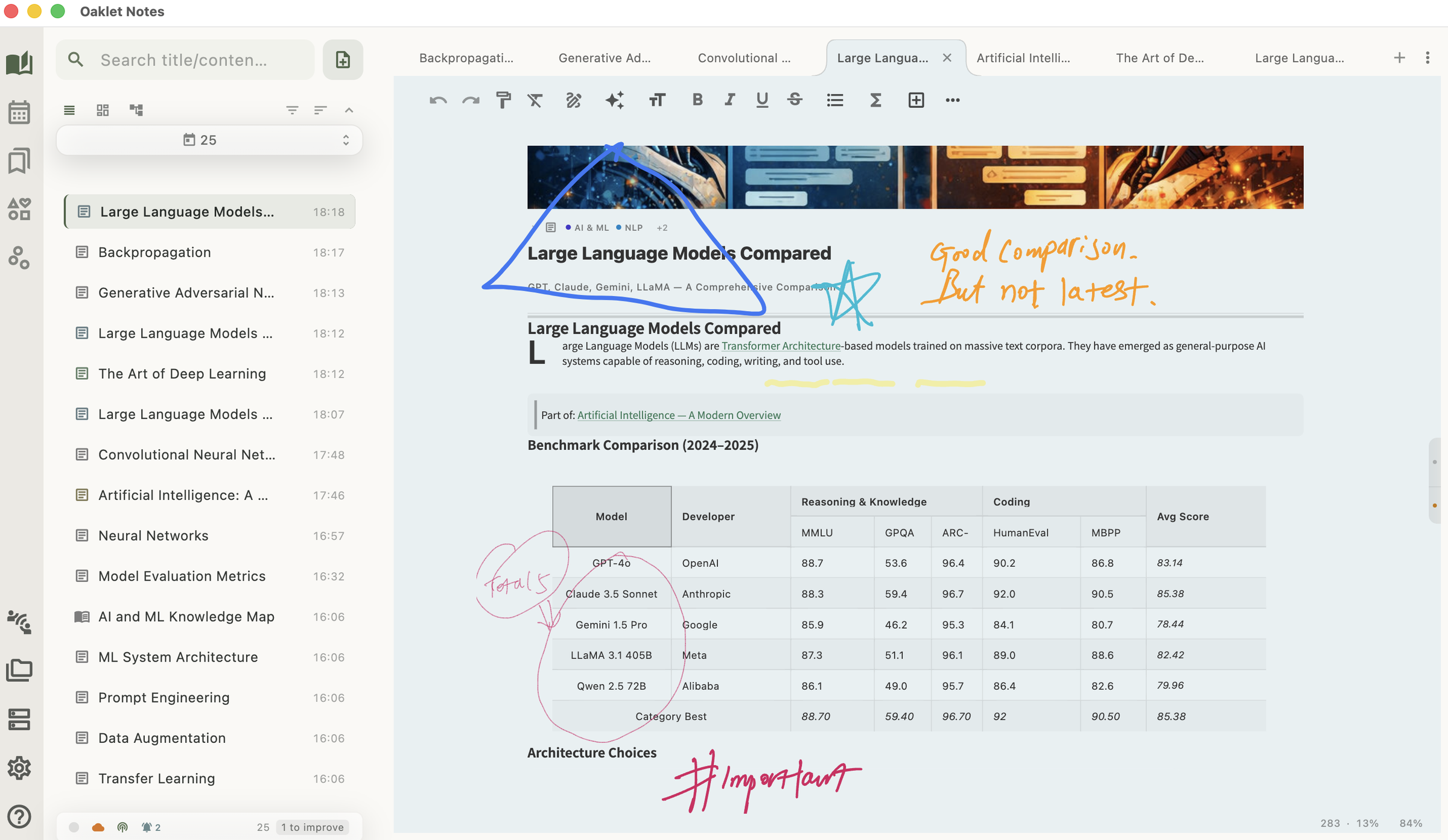
Handwrite Over Any Page
Turn on Handwrite and ink right over your typed text and margins — annotate, circle, and sketch on the page without leaving the editor or opening a separate drawing block. Pen, pencil, marker, and highlighter, with optional Apple Pencil support on iPad. Your ink stays anchored as text reflows and travels into PDF, Word, and HTML exports.
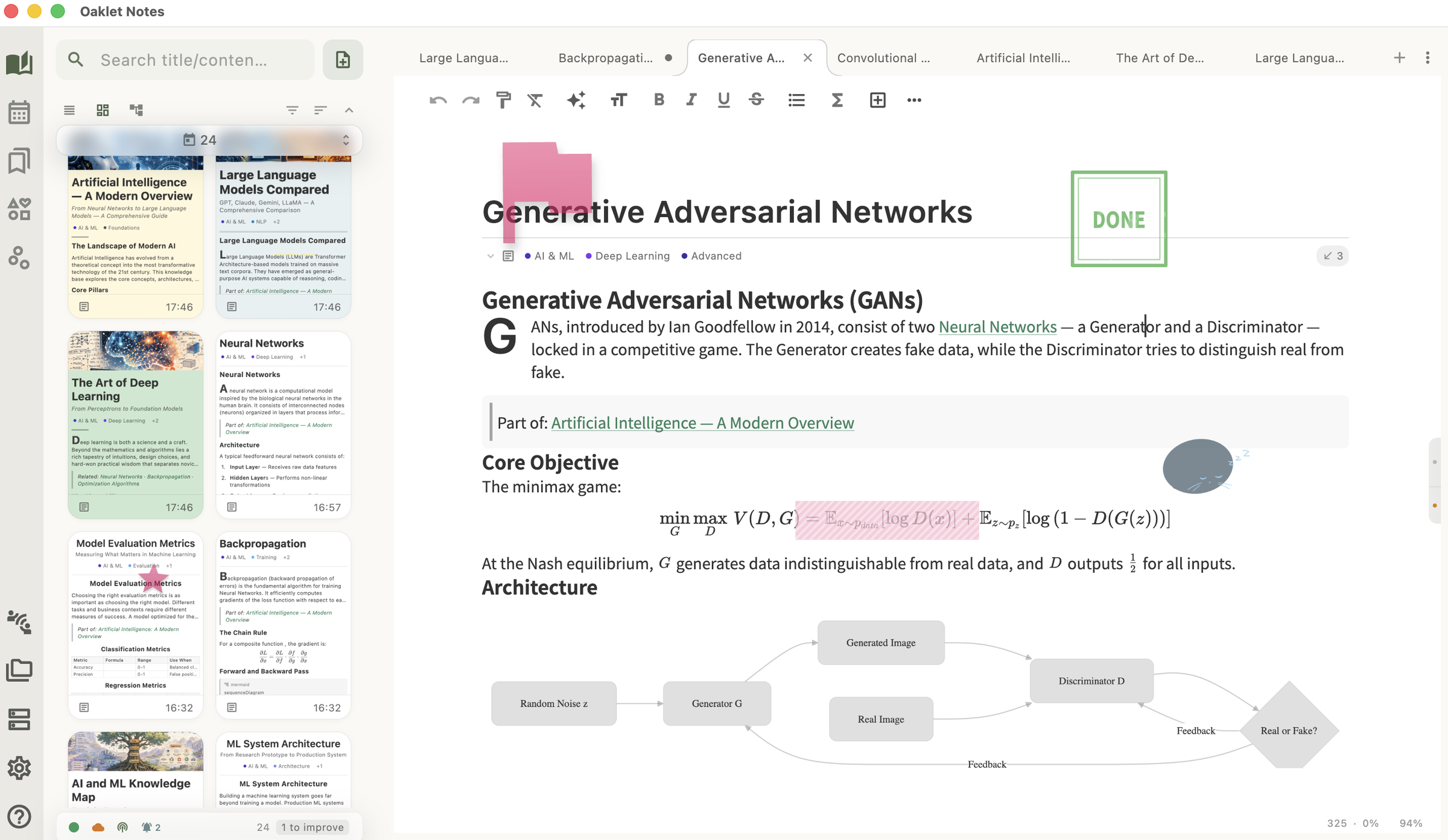
Decorate Anywhere
Stickers, sticky notes, tape, and stamps — pin to a paragraph or float freely on any note. Drag, scale, rotate, recolor. Encrypted, synced, and rendered in PDF, HTML, and Word exports.
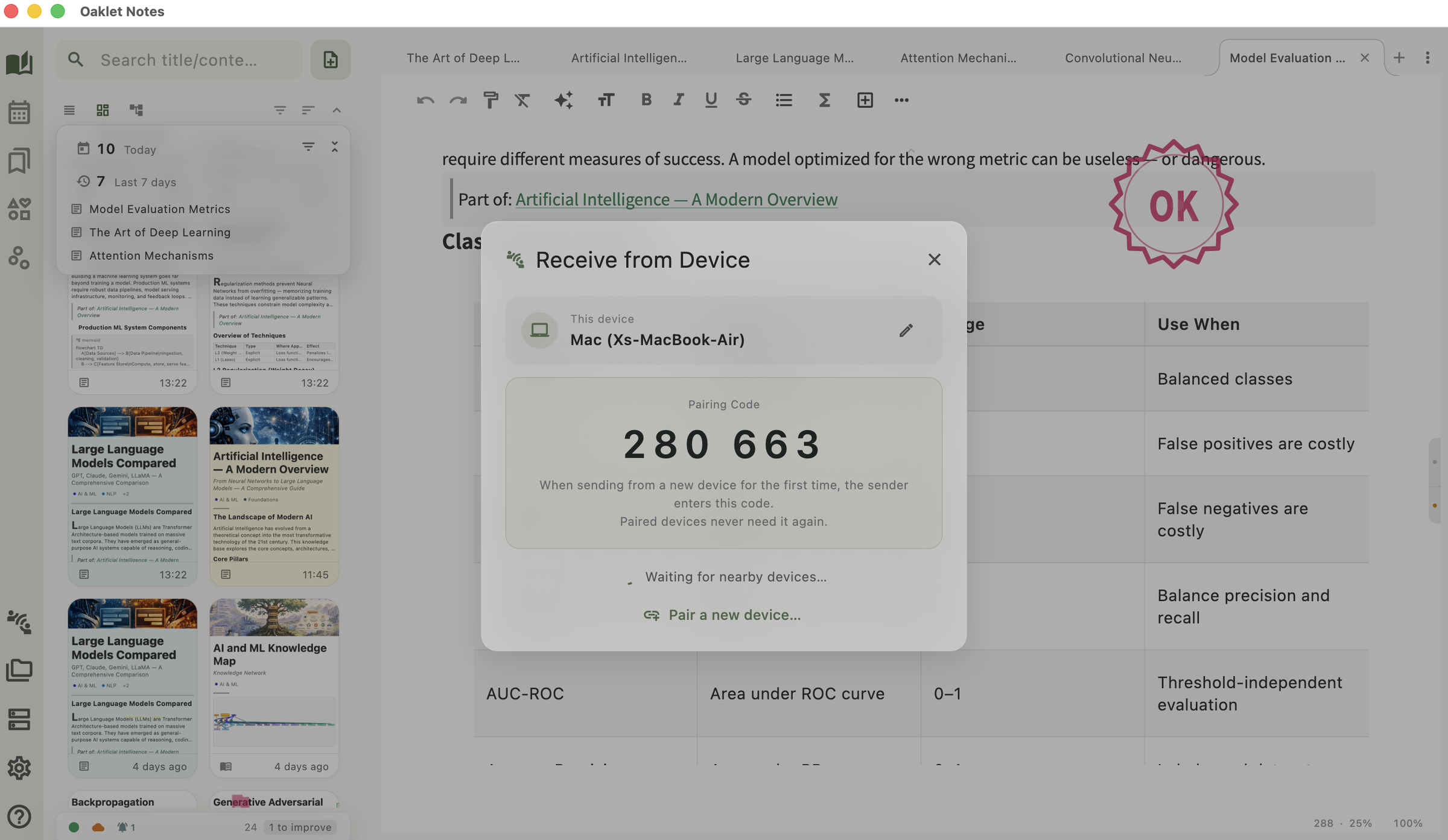
Send Notes Straight to Another Device
Direct Share moves notes device to device over your own network. Pair once with a 6-digit code and the two devices recognise each other from then on. Transfers are encrypted end to end and never pass through a server — no account, no upload, nothing left on someone else's machine.
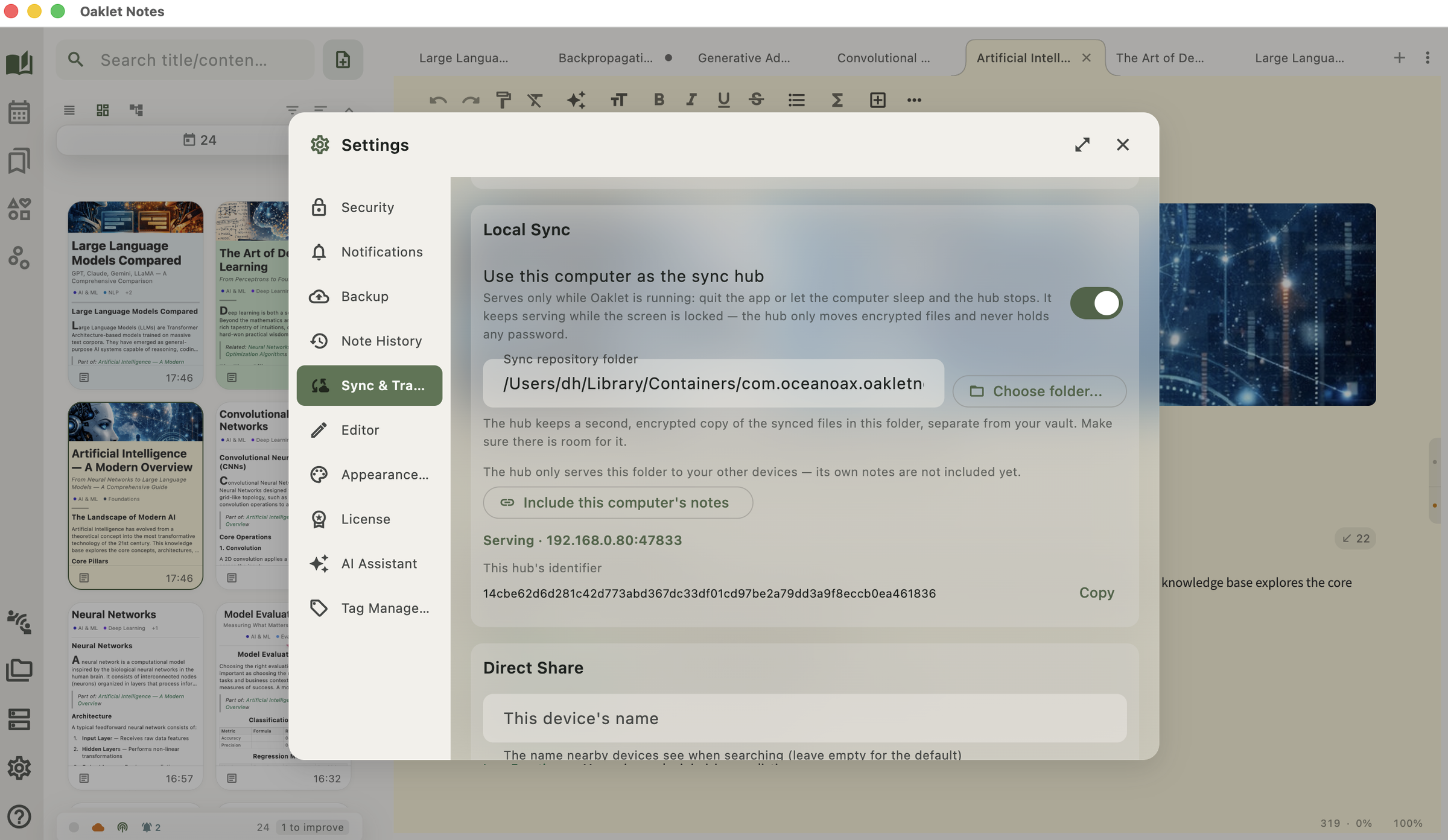
Your Own Computer as the Sync Hub
Leave one computer running and let it serve your vault to your other devices over the network — no cloud account, no third-party server. The hub stores only encrypted files; your vault password never leaves your own devices. Prefer a server you already have? WebDAV and local-folder sync still work, and you can save several destinations and switch between them.
Knowledge Graph
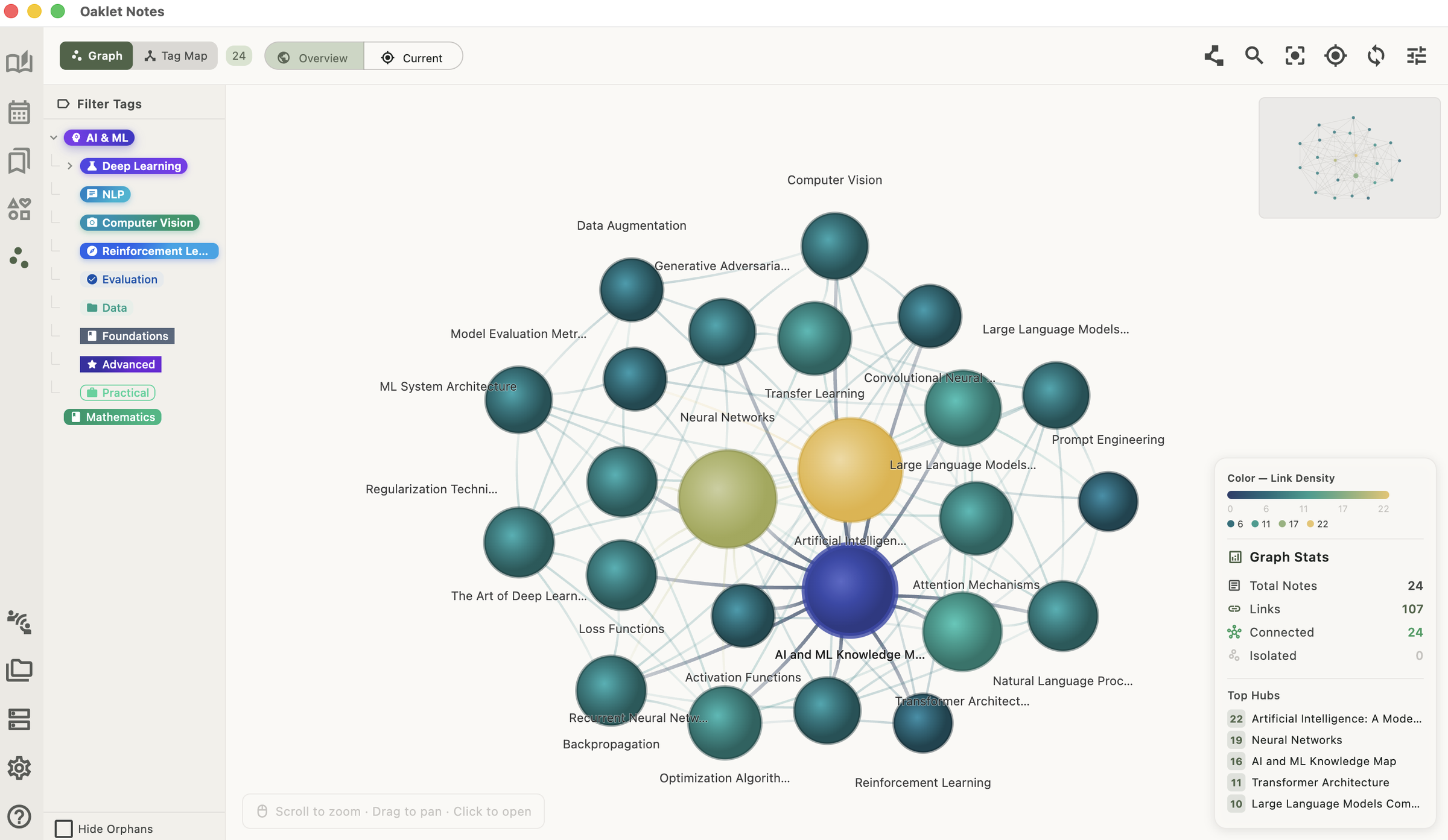
[[WikiLinks]] + ![[Embeds]] build your note network. Tags form a web rather than a tree — one tag can belong to several others, with memberships AI can suggest for you. An interactive graph visualizes how your ideas connect.
Advanced Tables
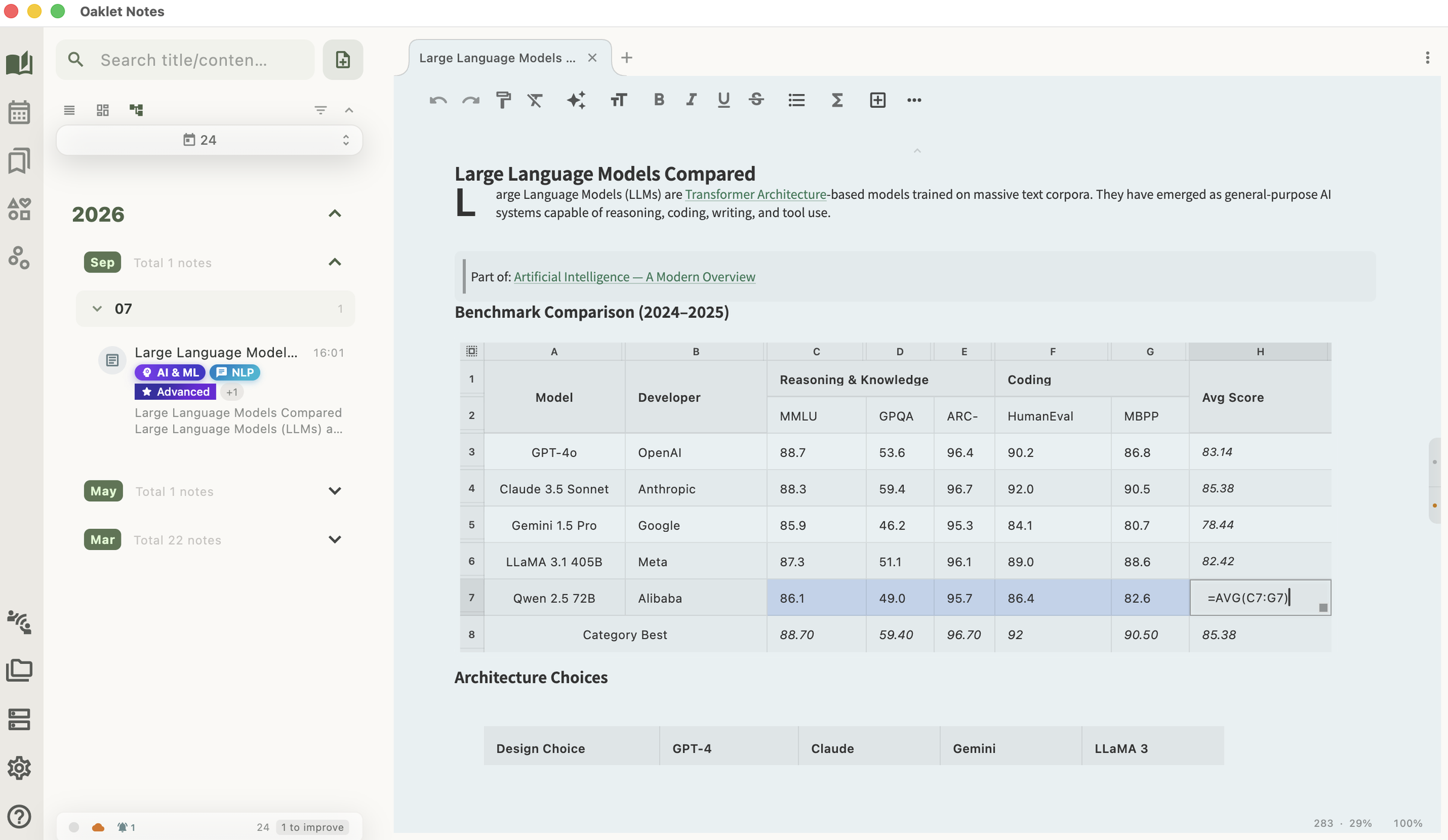
Formulas (SUM/AVG/COUNT), merged cells, drag-fill, and inline images — data analysis without leaving your notes.
Diagrams & Math
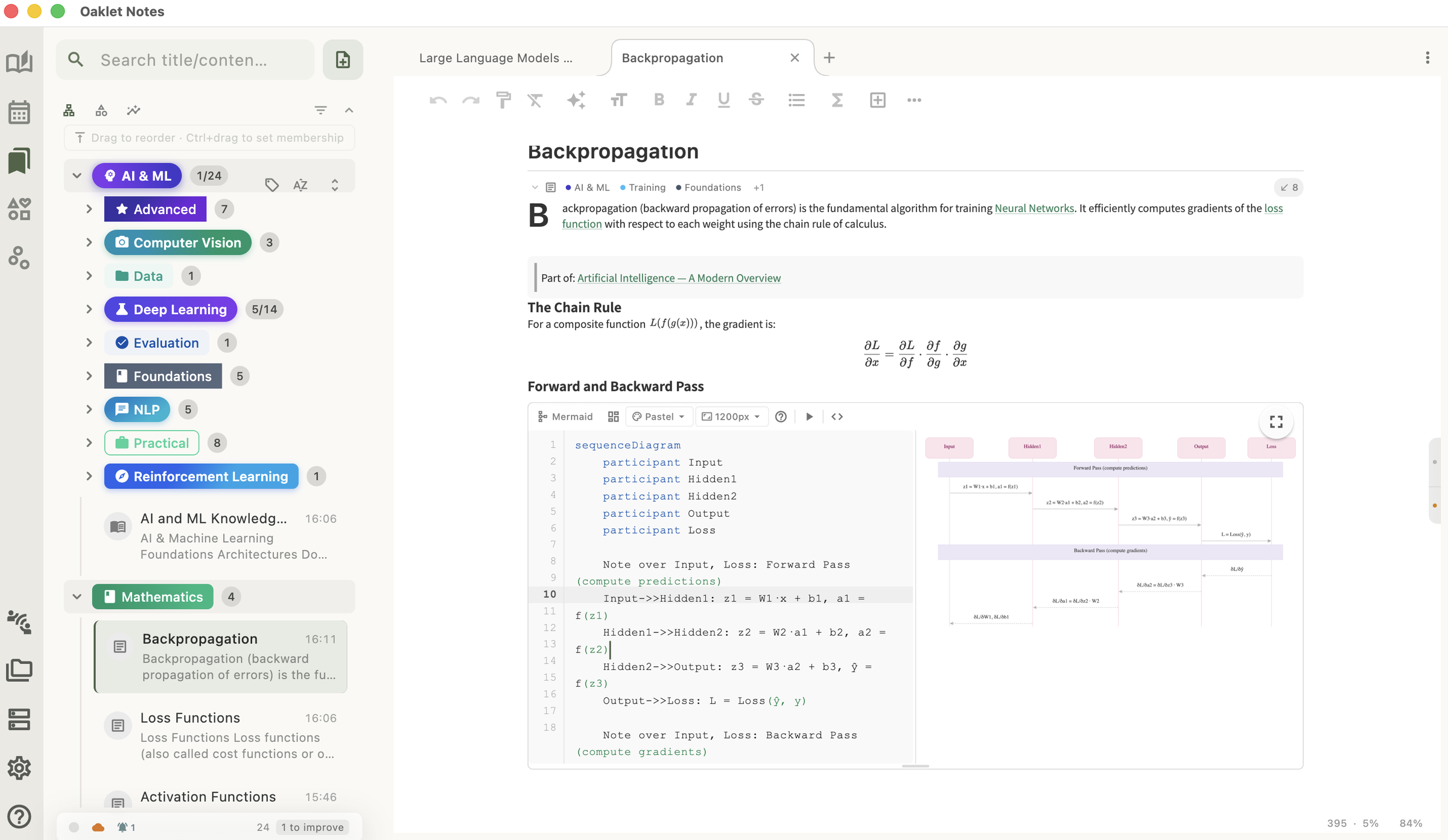
Mermaid diagrams (flowchart, sequence, Gantt, and more) with auto-theming. LaTeX math with a rich symbol panel, inline and block mode, live preview.
Available on All Major Platforms
Download Oaklet Notes for your operating system
Ready to get started?
Download Oaklet Notes for free and start organizing your thoughts today.